Class XRInputSource
- Namespace
- CSharpToJavaScript.APIs.JS
- Assembly
- CSharpToJavaScript.dll
The WebXR Device API's XRInputSource interface describes a single source of control input which is part of the user's WebXR-compatible virtual or augmented reality system. The device is specific to the platform being used, but provides the direction in which it is being aimed and optionally may generate events if the user triggers performs actions using the device.
[Value("XRInputSource")]
public class XRInputSource- Inheritance
-
XRInputSource
- Inherited Members
Remarks
Constructors
XRInputSource()
public XRInputSource()Properties
Gamepad
The read-only XRInputSource property gamepad returns a Gamepad object describing the state of the buttons and axes on the XR input source, if it is a gamepad or comparable device. If the device isn't a gamepad-like device, this property's value is null.
[Value("gamepad")]
public Gamepad? Gamepad { get; }
Property Value
Remarks
The Gamepad instance returned behaves as described by the Gamepad API. However, there are a few things to note:
GripSpace
The read-only XRInputSource property gripSpace returns an XRSpace whose native origin tracks the pose used to render virtual objects so they appear to be held in (or part of) the user's hand. For example, if a user were holding a virtual straight rod, the native origin of this XRSpace would be located at the approximate center of mass of the user's fist.
[Value("gripSpace")]
public XRSpace? GripSpace { get; }
Property Value
- XRSpace
An XRSpace object representing the position and orientation of the input
device in virtual space, suitable for rendering an image of the device into the scene.gripSpaceisnullif the input source is not inherently
trackable. For example, only inputs whose TargetRayMode istracked-pointerprovide agripSpace.Imagine that the controller is shaped like a straight rod, held in the user's fist. The
native origin of the grip space is located at the centroid—the center of mass—of the
user's fist, tracking the position of the user's hand.The coordinate system for the left hand's grip space.A diagram showing how the grip space indicates the local coordinate system for the player's hand relative to the world.The coordinate system for the right hand's grip space.A diagram showing how the grip space indicates the local coordinate system for the player's hand relative to the world.As shown in the diagram above, the coordinate system is oriented as follows:


Remarks
Hand
The read-only hand property of the XRInputSource interface is a XRHand object providing access to a hand-tracking device.
[Value("hand")]
public XRHand? Hand { get; }
Property Value
- XRHand
An XRHand object or
nullif the XRSession has not been requested with thehand-trackingfeature descriptor.
Remarks
Handedness
The read-only XRInputSource propertyhandedness indicates which of the user's hands the WebXR
input source is associated with, or if it's not associated with a hand at all.
[Value("handedness")]
public XRHandedness Handedness { get; }
Property Value
- XRHandedness
A string indicating whether the input controller is held in one of
the user's hands, and if it is, which hand. The value is one of the following:
Remarks
Profiles
The read-only XRInputSource property profiles returns an array of strings, each describing a configuration profile for the input source. The profile strings are listed in order of specificity, with the most specific profile listed first.
[Value("profiles")]
public string[] Profiles { get; }
Property Value
- string[]
An array of strings, each describing one configuration profile
for the input device represented by theXRInputSourceobject. Each input
profile specifies the preferred visual representation and behavior of the input source.
Remarks
NOTE
The
profileslist is always empty when the WebXR
session is in inline mode.
SkipRendering
[Value("skipRendering")]
public bool SkipRendering { get; }
Property Value
TargetRayMode
The read-only XRInputSource
property targetRayMode indicates the method by which the
target ray for the input source should be generated and how it should be presented to
the user.
[Value("targetRayMode")]
public XRTargetRayMode TargetRayMode { get; }
Property Value
- XRTargetRayMode
A string indicating which method to use when generating and presenting the target ray to
the user. The possible values are:
Remarks
Typically a target ray is drawn from the source of the targeting system along the target ray in the direction in which the user is looking or pointing. The style of the ray is generally up to you, as is the method for indicating the endpoint of the ray. The targeted point or object might be indicated by drawing a shape or highlighting the targeted surface or object.
A target ray emitted by a hand controller:
A screenshot showing a target ray being emitted by a hand controller
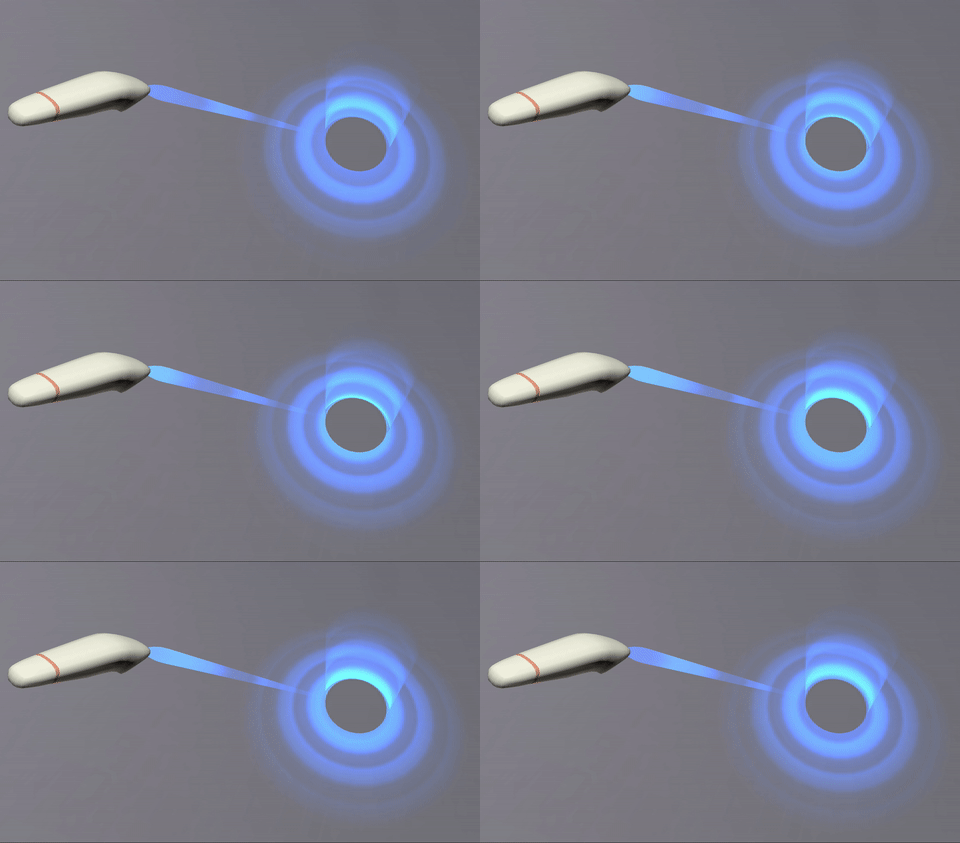
The target ray can be anything from a simple line (ideally fading over distance) to an animated effect, such as the science-fiction "phaser" style shown in the screenshot above.
-WebXR Device API
-Inputs and input sources
-Using gamepads in WebXR applications
TargetRaySpace
The read-only XRInputSource propertytargetRaySpace returns an XRSpace
(typically an XRReferenceSpace) representing the position and
orientation of the target ray in the virtual space. Its native origin tracks
the position of the origin point of the target ray, and its orientation indicates the
orientation of the controller device itself. These values, interpreted in the context of
the input source's TargetRayMode, can be
used both to fully interpret the device as an input source.
[Value("targetRaySpace")]
public XRSpace TargetRaySpace { get; }
Property Value
- XRSpace
An XRSpace object—typically an XRReferenceSpace or
XRBoundedReferenceSpace—which represents the position and orientation of
the input controller's target ray in virtual space.The native origin of the returnedXRSpaceis located at the point from
which the target ray is emitted, and the orientation of the space indicates the
direction in which the target ray is pointing.
Remarks
To obtain an XRSpace representing the input controller's position and
orientation in virtual space, use the GripSpace property.
-WebXR Device API
-Inputs and input sources
-Using gamepads in WebXR applications